![Metron-icon-diagram-2.png]](https://www.metronlab.com/hs-fs/hubfs/Metron-icon-diagram-2.png?height=40&name=Metron-icon-diagram-2.png)
New function in the Data Sources workspace: offset
⌛ The offset function lets you compare different time periods of the same tag. It can be used, for example, to calculate the percentage change in energy consumption between this year and last year.
How to use the offset function?
See The offset function for calculated series.
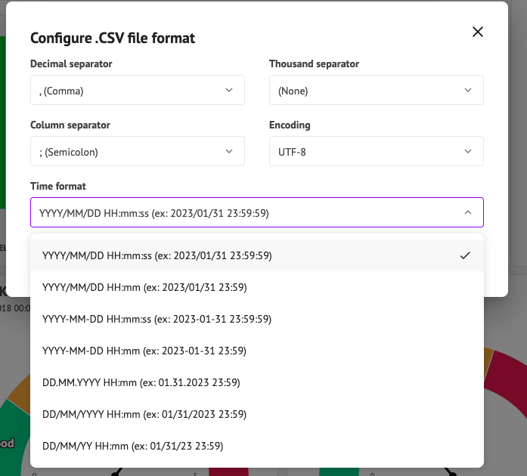
Configuring widget exports to Excel and CSV
You can now configure Excel or CSV exports for all widgets, with the exception of Sankey, Chronogram and Text widgets, for which this type of export is not relevant.
As a reminder, it is possible to configure:
- decimal separator: point or comma
- thousands separator: none, space, comma, dot
- column separator: semicolon, colon, tabulation
- encoding: UTF-8, UTF-8 BOM, Shift-JIS, Latin1, ANSI
- time format :
#FeatureUserAdmin: dashboard template import in a METRON platform
💡 The dashboard template import allows you to reproduce a dashboard template from one platform to another via an import, without having to recreate it manually. Important: this feature is only available to admin users (Metron Ops Engineer role).
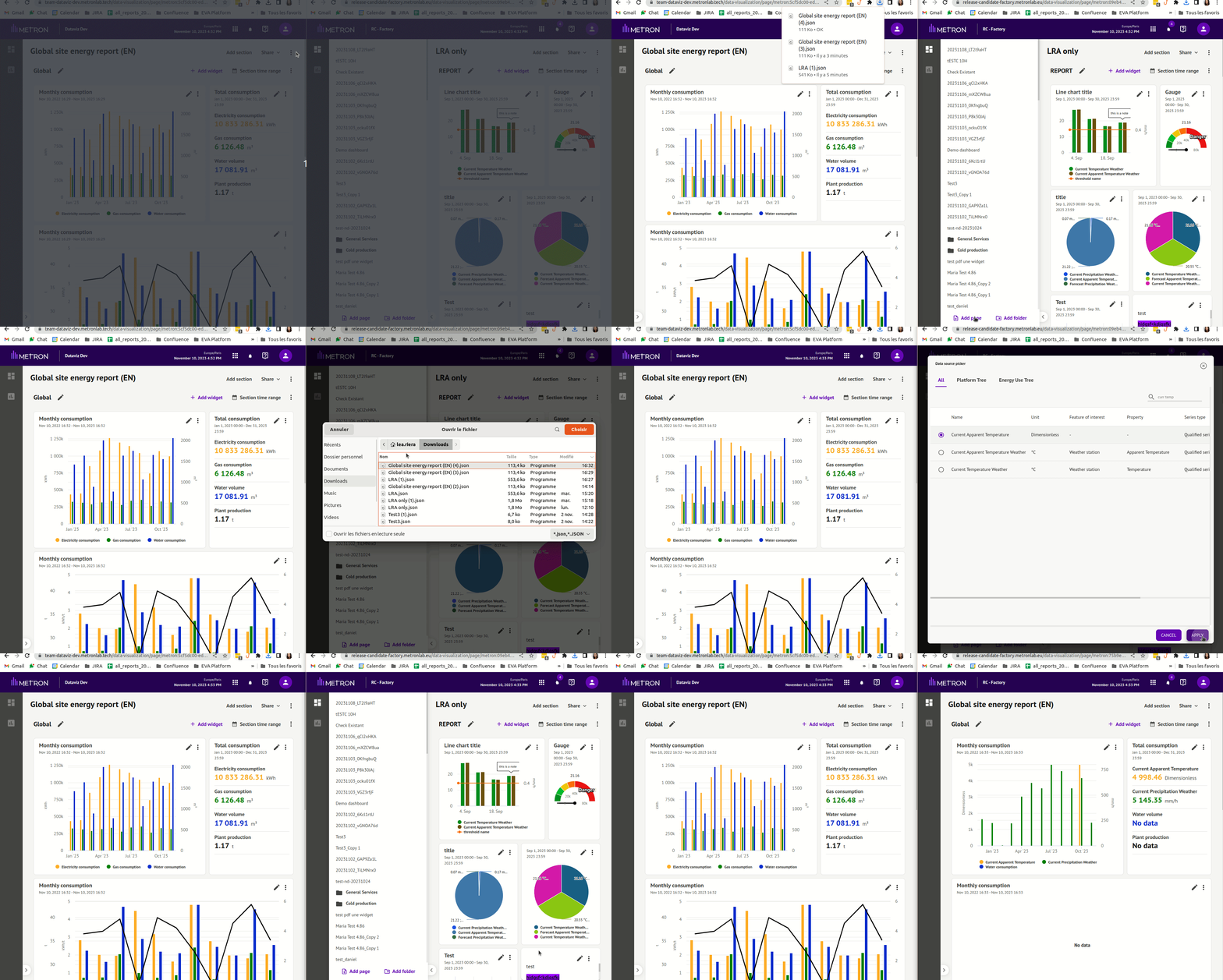
➡️ To find out more, see Import a dashboard template on the METRON platform.