![Metron-icon-diagram-2.png]](https://www.metronlab.com/hs-fs/hubfs/Metron-icon-diagram-2.png?height=40&name=Metron-icon-diagram-2.png)
PDF export: modify, adjust, customize, export, send!
The new PDF export is now available. Try it out now.
Data Visualization Area > Share > Export to PDF (beta): 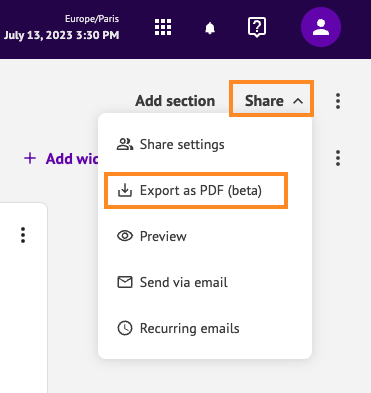
What's new?
Previously, you could preview the PDF without being able to adjust the layout.
With "Export to PDF (beta)", you can now customize the entire layout of your dashboard:
- View the end of each page: beware, in this new PDF export, the end of the page may cut a widget in two.
- Modify page layout: change the size, order and position of your widgets.
- Add a page break: manually adjust the margins of your PDF to avoid breaks.
- Adjust widgets: resize table columns, adjust curve zoom...
- Save your changes: layout work is essential with this new PDF export, but once saved, it is preserved.
Any layout you save at this stage will be applied to the dashboard itself and visible to your collaborators.
To support the transition, you retain access to the old PDF export in Share > Preview.
6. PDF as email attachment: when automatically sending dashboards by email, PDFs are now attached, in addition to the redirect button to the platform.
This allows you to share your dashboards with collaborators who do not have access to your METRON platform.

New menu in the Data Visualization area
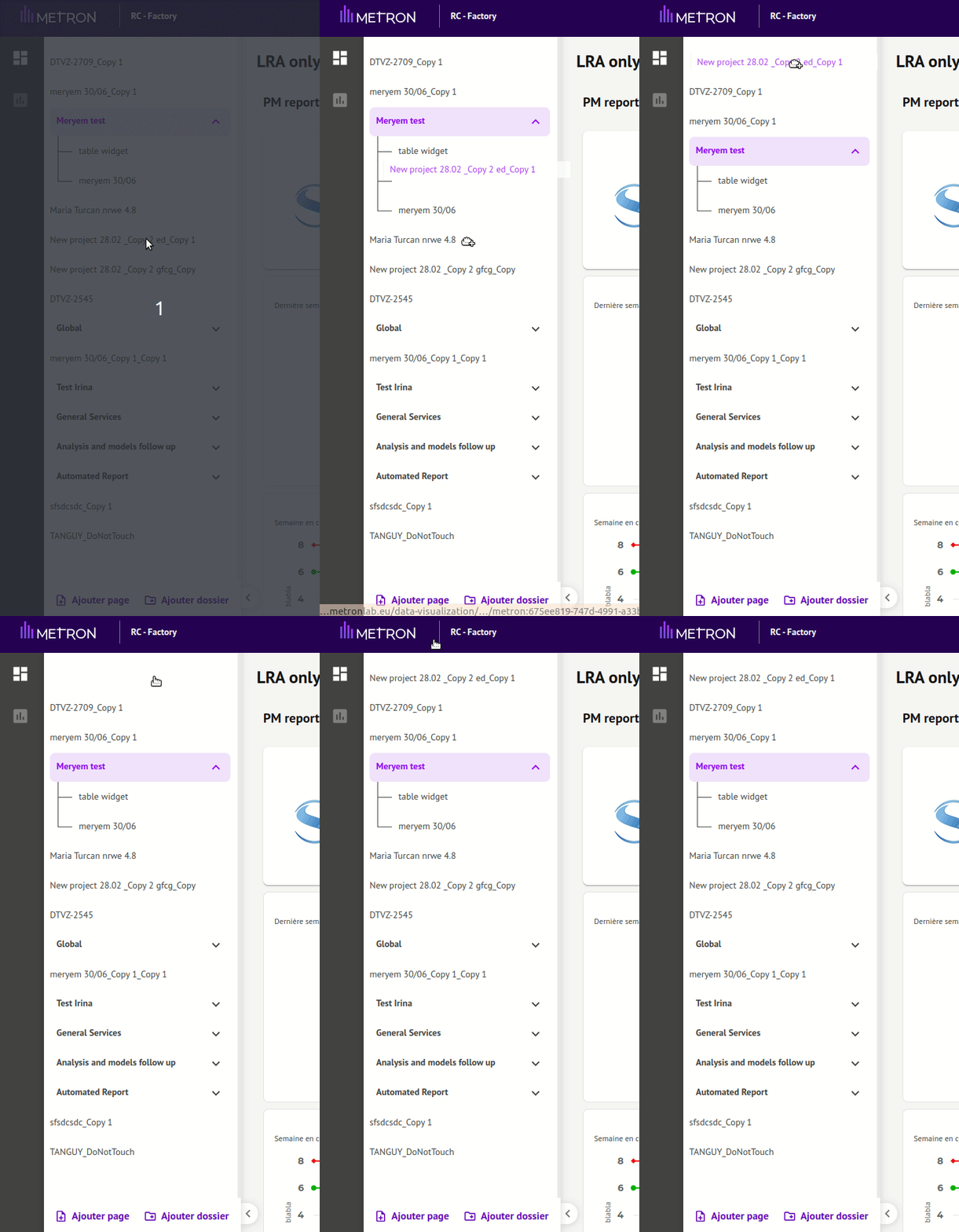
New tree structure for your pages
On the left-hand side of your screen, you'll find a single list of all your pages.
You can now rearrange your pages by dragging and dropping them:
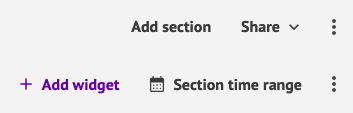
New button menu
The most frequently used buttons have been highlighted. See you on your METRON platform!
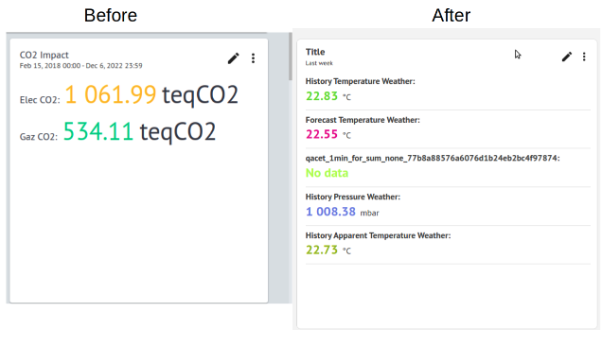
Optimized visual for counter widget
Grouping of notifications for a single alarm
When the same alarm sounds several times, you'll see just one line of notifications with the number of activations of that alarm. This provides a simpler view of the status of all your alarms.
EnergyLab enhancements
Data cleaning with scatter plot
You can now select one or more points (by holding down the SHIFT key) and choose to delete them or keep only those points.
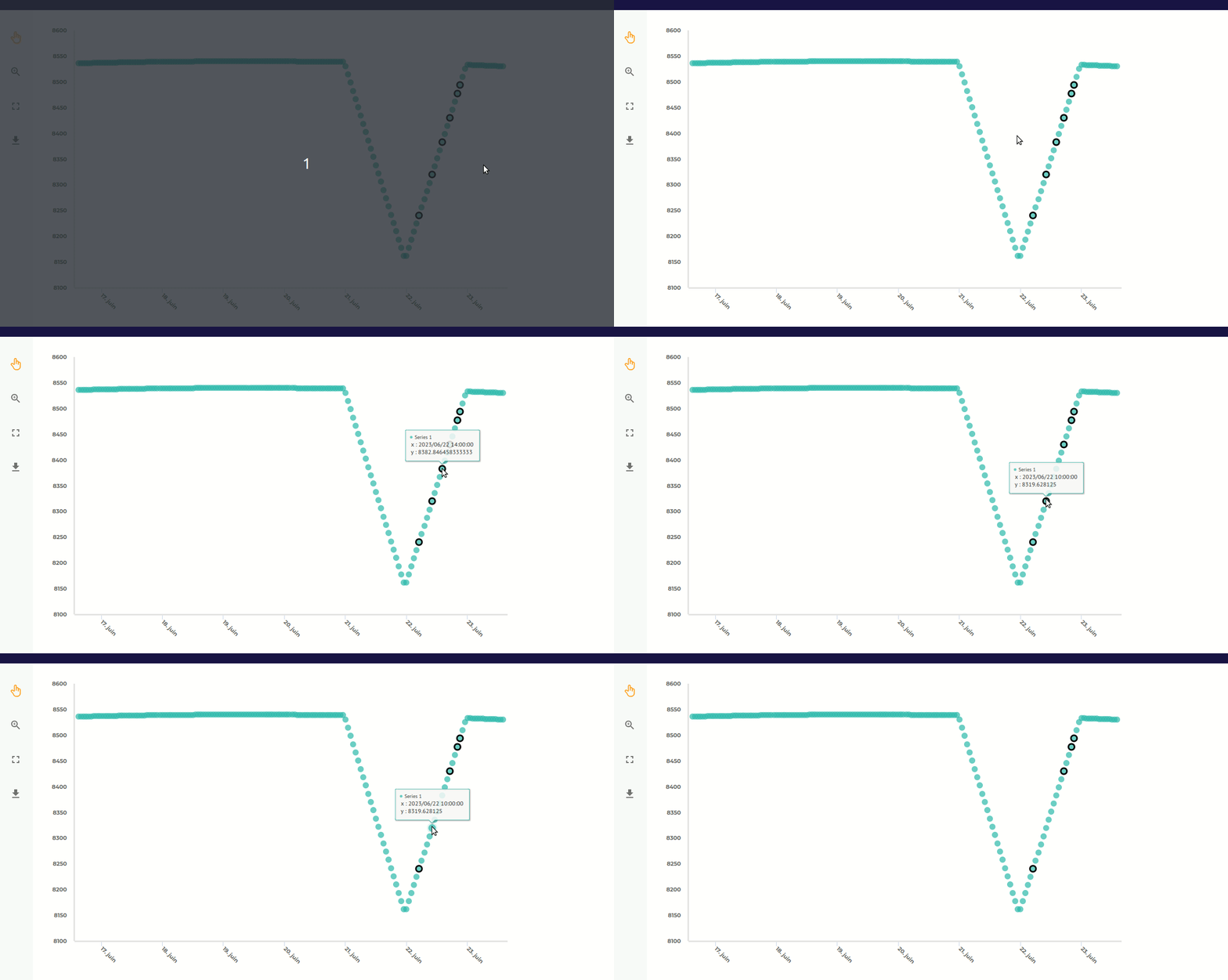
Rename your model blocks

Particularly useful when you have many stages in the construction of your models, including several data cleansing blocks: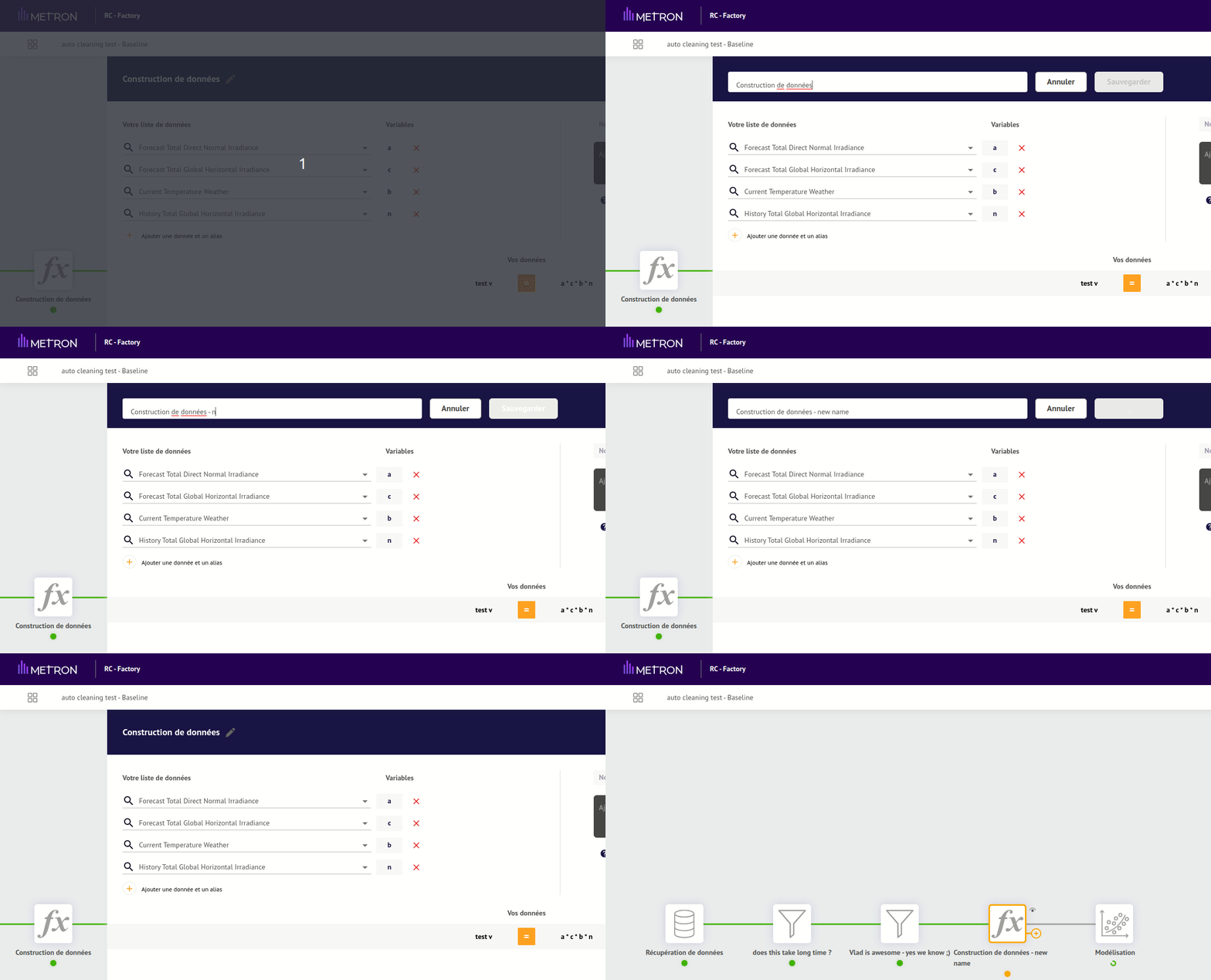
Even if you don't modify the calculations, renaming a model causes it to be updated. You may therefore have to wait a few moments for this operation to take place.
Reminder release 4.82: Duplicating EnergyLab models.
Click here to find out more!